
Creating Bleed
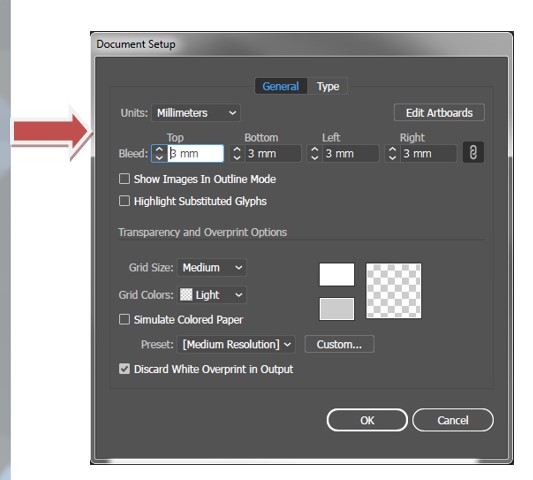
- Open Illustrator and navigate to File>Document Setup
- Add 3mm to all sides for bleed
Creating Crop Marks
- Open Illustrator and navigate to File>Save As
- Save it in the desired location, ensure Save As Type is PDF.
- For the Adobe PDF Preset, select Press Quality
- Click Marks and Bleeds, then tick All Printers Marks.
- Tick Use Document Bleed Settings
- Click Save PDF