
Creating Letterheads
Proof the letterhead as a PDF but if the customer wants to print their letterhead at home, save as a word document.
- Create the letterhead in Illustrator under normal print requirements i.e. 3mm bleed, CMYK.
- File > Export > Export As > JPEG (tick ‘Use Artboards’)
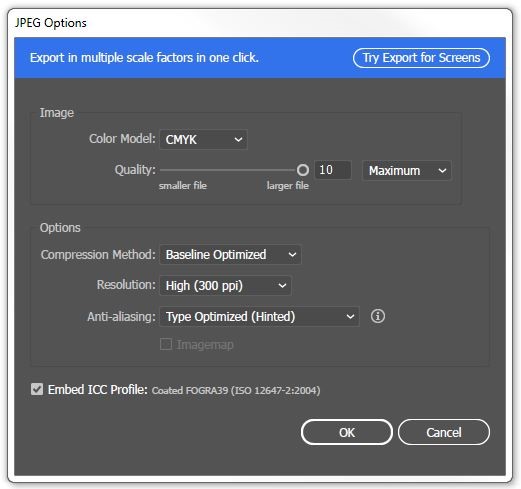
- Click Export: Make sure Colour Model is ‘CMYK’; Quality is ‘Maximum’; Compression is ‘Baseline Optimized’; Resolution is ‘High (300 ppi)’; Anti-aliasing is ‘Type Optimized (Hinted)’.
- Open Word.
- Design > Watermark > Custom Watermark >Picture Watermark > Selected Picture
- When your letterhead JPEG is selected choose 100% and untick Washout.
- Save word document