
Initial Setup
Finding keywords to target
Please see the other SOM for this.
Admin Setup
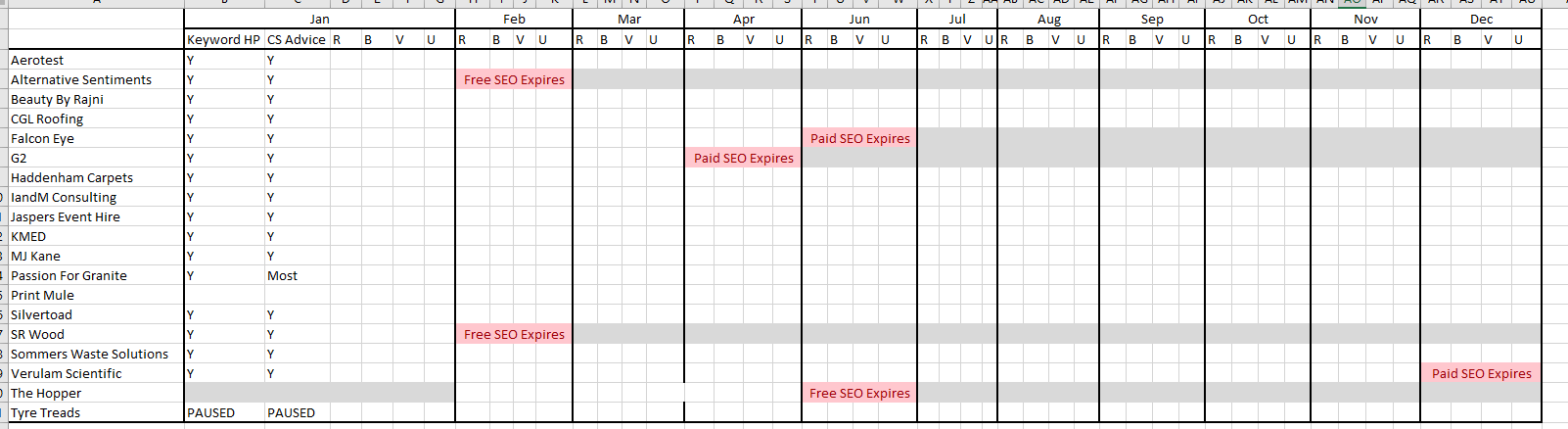
- Open the SEO Spreadsheet (Studio folder, SEO spreadsheet)
- Insert a row, and add in the new customers name
- Copy the SEO checklist from Services > SEO, to the customer folder. A new checklist from this location must be used each time, as this is where we will edit the checklist to be the most up to date version.
- Fill out the checklist – more info on each step can be found below.
Adding the site to Click Submit / Boost 366
- Go to https://www.boost366.co.uk/
- Log In & go to the control panel
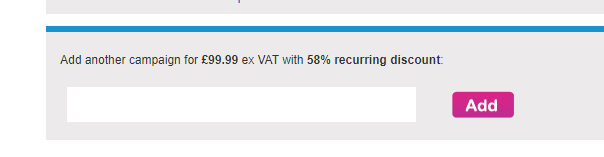
- Scroll all the way to the bottom, where it says add another campaign.
- Type in the domain of the website (without www / https / slashes etc); and press add
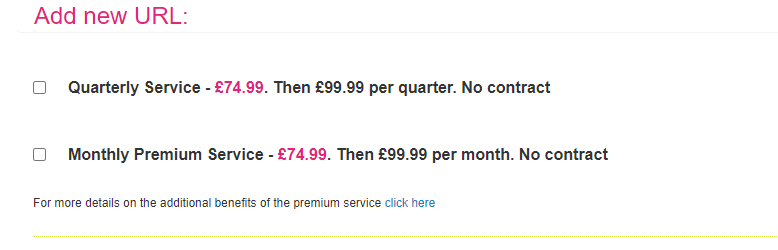
5. Select Quarterly Service, and press Sign Up
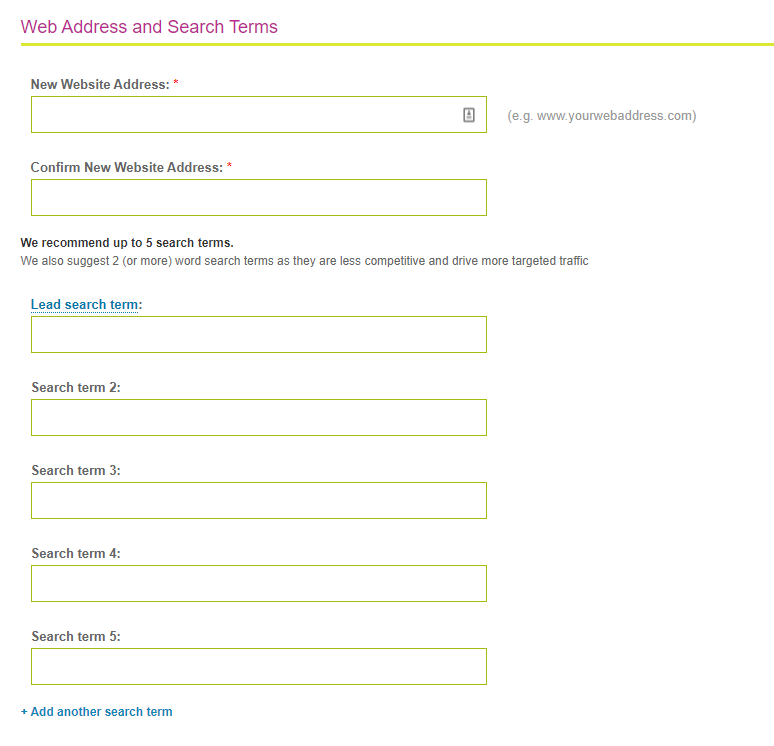
7. Ensure “Link Exposure” is ticked, then press Submit.
8. Click Pay Now.
Website Optimisation- Front End
Keywords
Ensure all your keywords appear on the front page of the website. Where possible, multiple references are best.
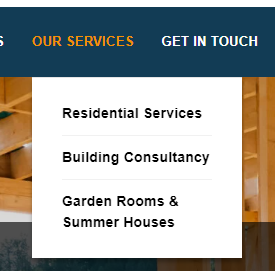
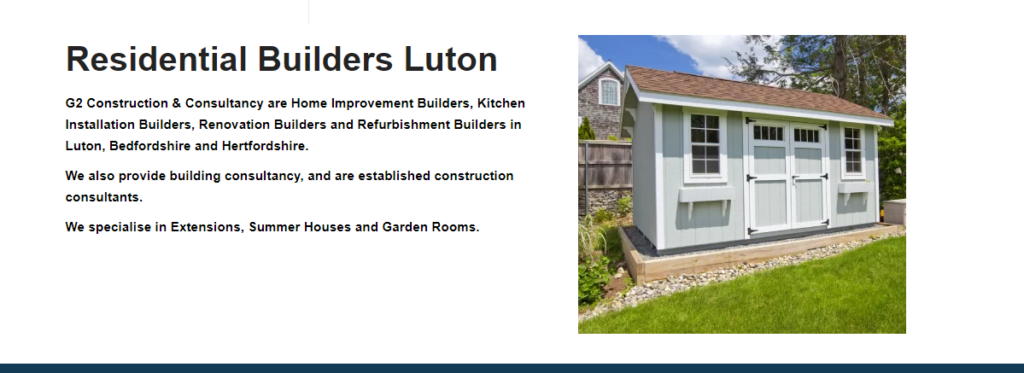
If the keywords do not fit neatly or grammatically into the on-site content, use them as subheaders; or insert a block in or near the footer containing all the keywords. You can also do this as a secondary instance of keywords anyway.

Where keywords appear, link them up to any relevant page.
Where possible, put keywords in heading tags too.
GDPR
Having a GDPR compliant site is another thing search engines look for. This should be complete as per the web checklist on go live, but still double check that:
- The site has an SSL Certificate. This is represented by the padlock in the URL bar:
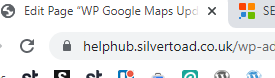
- There’s a Cookie Notice on first visit to the site (try in a private browser)
- There’s a Cookie Policy, Privacy Policy and Right to be Forgotten pages, and they’re linked in the footer of the website (note that some sites combine these into 1 or 2 policies)
- The site isn’t using any unnecessary data storing plugins (such as flamingo for contact forms etc).
Location Landing Pages
If the company operates in multiple service areas, it’s beneficial to create location-specific landing pages, that tie in with your keywords. These can be a simple page with lots of references to the location and services provided. See Silvertoad’s as an example:
HTML Sitemap
It can be very beneficial to include a HTML sitemap / glossary page. This is a list of all the pages on the site, with a link to the page. You can also link it in the footer of the website. If using the WP Meta SEO Plugin as detailed below, this will create a HTML sitemap automatically for you.
404 Page
Search engines do not like catch-all redirects (where if a page / url doesn’t exist, it always reverts back to the home page). Prevent this by ensuring the site has an Error 404 page, which is always in use when an unknown url is entered.
(Please note, purposeful 301 redirects where a page was previously on a different link, are not detrimental).
Favicon, Site Icon & Apple Icon
Sites should always have a favicon. This is the little icon in the top url bar that identifies the site. This should be done as part of the web checklist, but check it is there. This favicon will also apply for Apple and Android “Site Icons” when the web page is pinned on a smartphone.
Integrate Reviews
Whilst not proven whether it aids SEO or not, it doesn’t hurt to have reviews on the website. As well as looking good for users on the site, it also links to Google & Facebook and theory is they will favour that backlink that the review integration provides.
WordPress Widget for Google Reviews – https://wordpress.org/plugins/widget-google-reviews/
Facebook Widget – https://wordpress.org/plugins/fb-reviews-widget/
Blog / News / Portfolio Page
Having a blog or news page that can be regularly updated with posts are really important for SEO, ensure the site has a blog or news page where possible.
Page Content Text Count
There are several references that pages with more than 300 words perform better for SEO. It’s good to aim for an average of 600 words per page.
Links to Social Media
Link any social media profiles in either the header or the footer. These act as a positive backlink.
Website Updates – Backend
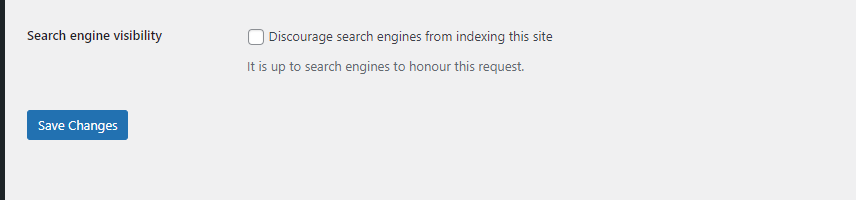
Search Engine Discouragement
ENSURE THIS IS NOT TICKED!
This is on Settings > Reading
Meta Information
Add the following into the header.php file, obviously change out for your lead search term, and URL, and custom description / keywords:
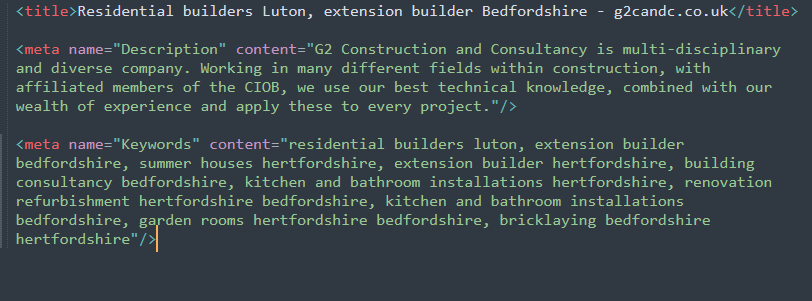
Website Updates – Integrations
GSC
Bing Webmasters
Google Analytics
Bing Analytics
Google Data Studio
Auto Updated Sitemaps
WP Meta SEO
Image file types
Cache policy
Reduce DNS Lookps
Crawl Errors
Image Alt Tags
Sitemap.xml
Broken links
Clean URLs
Google my biz
google map listing
Reduce HTTP requests
Reduce Javascript execution time
recaptcha integration
robots.txt
JSON Schema
Appropriate image names
Directory
Expires headers
Eliminate render blocking resources
Website Updates – Server Side
Setting Up SEO Reports
Please see other SOM