Set up a cPanel Account
- Go to the appropriate server and log in using the root credentials found in LastPass.
- Set up a LastPass entry (see below instructions)
- Go to Account Information (on the left sidebar)
- Click List Accounts
- Click Create a New Account
- Enter the domain name for their website (don’t include the https://)
- Copy the domain url into Lastpass
- The username will automatically be generated for you.
- Copy the username into Lastpass
- A security password willbe generated for you to use
- Copy the password into Lastpass
- Enter the support email address into the email field. (tech@silvertoad.co.uk)
- For the choose package option, check this with Lucy S/Amy/Toma to see which package they will be using.
- Leave all other options as they are, unless otherwise specified.
- Click Create
- Go back to Home
- Go to Account Information
- Go to List Accounts
- Find the account listed for your site
LASTPASS SET UP INSTRUCTIONS
- In LastPass, on the bottom right hand side, click the red plus icon
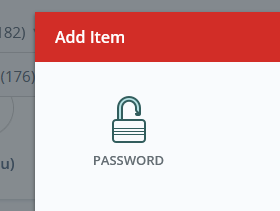
- Click the password icon
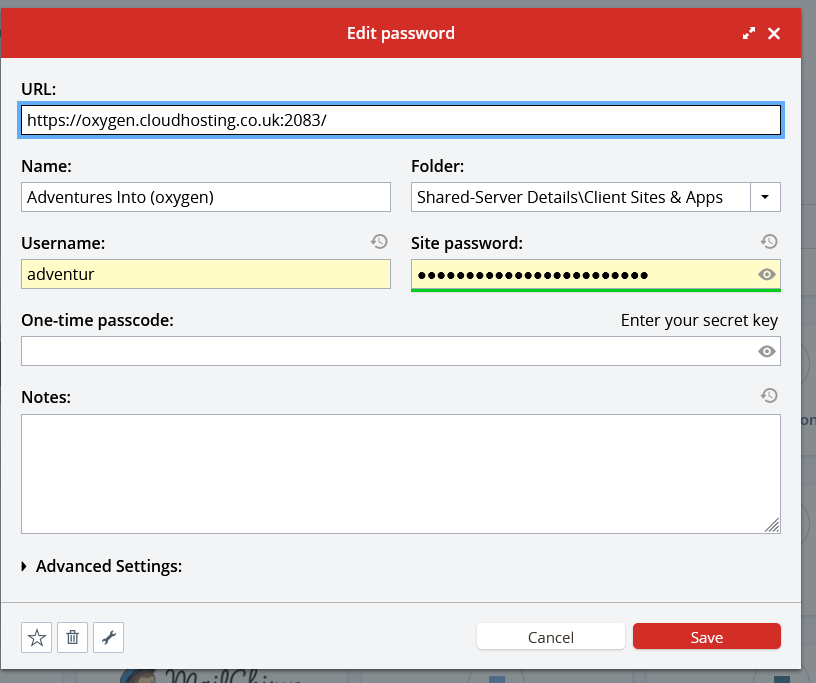
- Fill in the server URL
- In the ‘Name’ section include the websites name and in brackets put the server it’s on
- Enter the username and password and domain URL, click save